

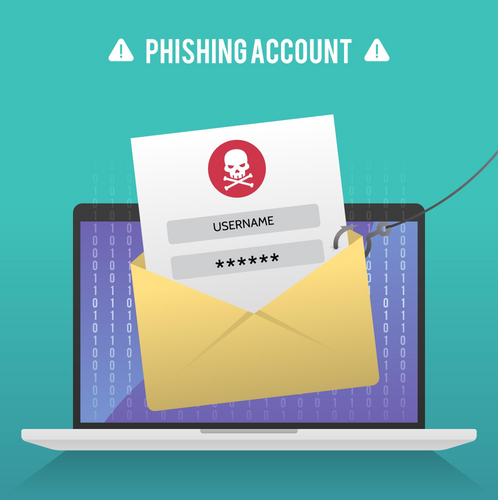
Email has become a central communication tool in both personal and professional spheres. However, it’s also a prime target for cyber threats such as phishing, malware, and data breaches. Securing your email is essential to protect your sensitive information and maintain your online security. Here are nine tips to help you ensure the safety of your inbox:
1. Use Strong, Unique Passwords
Creating strong, unique passwords for your email accounts is fundamental to email security. Avoid using easily guessable passwords like “123456” or “password.” Instead, use a combination of uppercase and lowercase letters, numbers, and special characters. Additionally, ensure each of your accounts has a unique password to prevent a security breach from affecting multiple accounts.
2. Enable Two-Factor Authentication (2FA)
Two-Factor Authentication adds an extra layer of security to your email accounts by requiring not only a password but also a secondary form of verification, such as a code sent to your phone or generated by an authentication app. Enable 2FA whenever possible to significantly reduce the risk of unauthorized access to your email.
3. Beware of Phishing Attempts
Phishing emails are a common tactic used by cybercriminals to trick users into revealing sensitive information or downloading malware. Be cautious of emails requesting personal or financial information, and avoid clicking on suspicious links or attachments. Verify the legitimacy of emails by checking sender addresses and looking for signs of phishing, such as spelling errors or urgent requests.
4. Regularly Update Your Email Client
Keeping your email client up to date is crucial for protecting against security vulnerabilities and exploits. Set your email client to automatically install updates, or regularly check for and apply updates manually. Updated email clients often include patches for known security issues, ensuring your inbox remains secure.
5. Encrypt Sensitive Emails
Encrypting sensitive emails adds an extra layer of protection to your communications, ensuring that only the intended recipient can access the content. Many email clients offer built-in encryption features, or you can use third-party encryption tools for added security when sending confidential information via email.
6. Use Secure Wi-Fi Connections
Avoid accessing your email accounts over unsecured or public Wi-Fi networks, as these networks are vulnerable to interception and eavesdropping. Instead, use a secure, password-protected Wi-Fi network or consider using a Virtual Private Network (VPN) to encrypt your internet connection and protect your email traffic from prying eyes.
7. Regularly Monitor Your Inbox
Stay vigilant and monitor your inbox for any suspicious activity, such as unrecognized emails, unexpected password reset notifications, or emails indicating account logins from unfamiliar locations. If you notice any unusual activity, take immediate action to secure your account, such as changing your password and enabling additional security measures.
8. Secure Your Devices
Ensure the devices you use to access your email accounts are secure by installing reputable antivirus software, keeping your operating system and applications up to date, and implementing strong device passwords or biometric authentication methods. Securing your devices helps prevent unauthorized access to your email accounts and protects your sensitive information.
9. Regularly Backup Your Emails
Regularly backing up your emails ensures that you can recover important data in the event of a security incident, such as a ransomware attack or accidental deletion. Use a secure backup solution to regularly back up your email accounts, and store backups in a safe location, such as an encrypted external hard drive or cloud storage service.
Conclusion
Securing your email is essential to protect your sensitive information, maintain your privacy, and prevent unauthorized access to your accounts. By following these nine tips, you can significantly enhance the security of your inbox and minimize the risk of falling victim to cyber threats. Stay vigilant, keep your email accounts secure, and prioritize email security to safeguard your digital communications effectively.
